Example Code
Start here. This one example gets a strip lit, proves your wiring is good, and gives you a sketch you can build anything else on top of.
| Demo | Difficulty | Channel | Power | Extra Setup |
|---|---|---|---|---|
| Basic Strand | Beginner | CH2 (pin 9) | USB through J8, or external | FastLED library |
If you haven’t built the board yet, go do the assembly and power setup first. Pin numbers for every channel are on the Pinouts page.
Basic Strand
Section titled “Basic Strand”Fills a short strip with one solid color, holds it for a second, then moves to the next one. Red, green, blue, yellow, purple, white, and back around. It also prints the current color to the Serial Monitor so you can tell whether a problem is in the code or in the wiring.
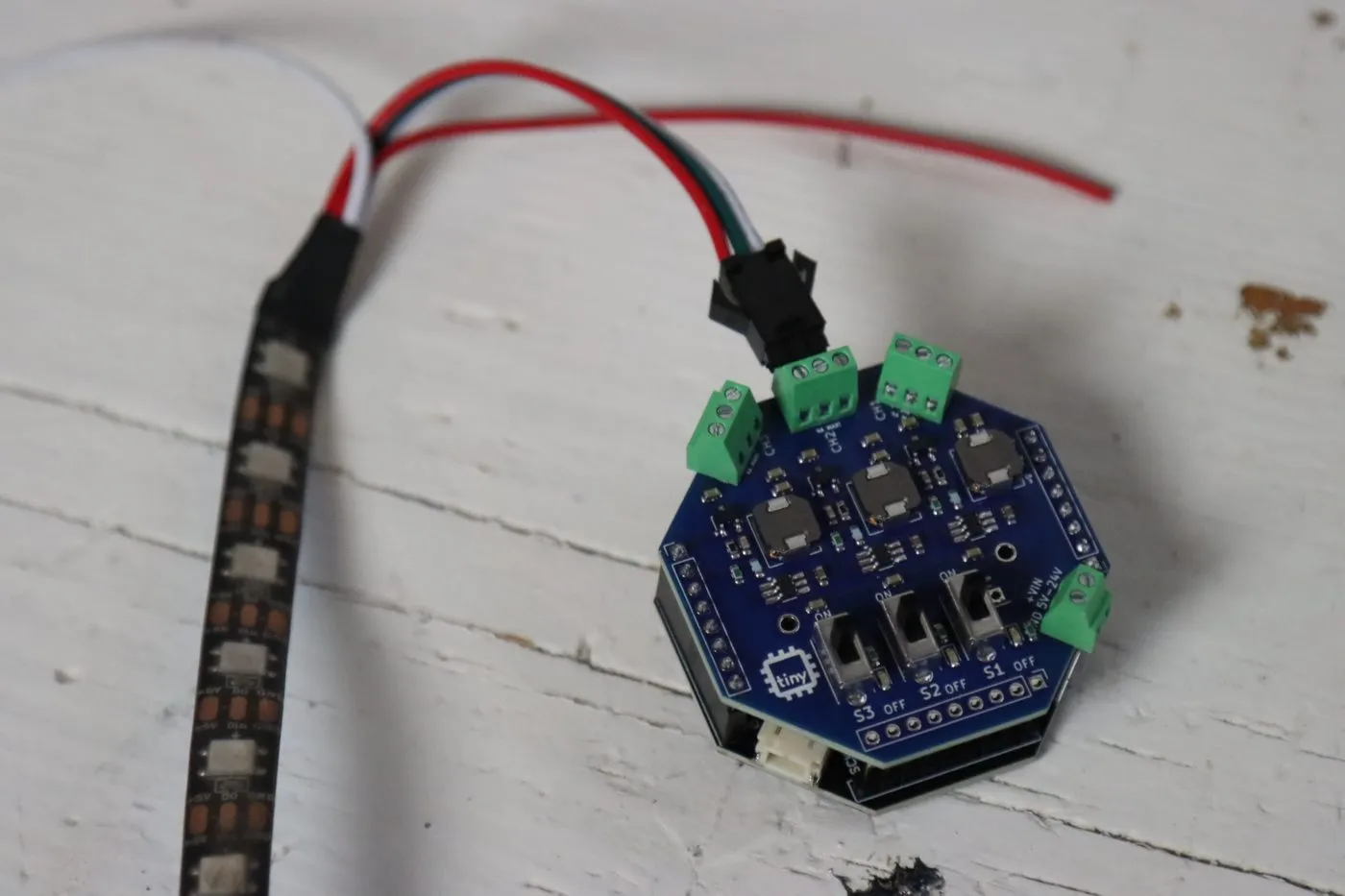
This is the exact setup from the photos: a 10 LED strip on CH2, powered over USB through the J8 wire.
How it works
Section titled “How it works”The settings block is the only part you need to touch. Everything that changes from one setup to the next lives in those four #define lines at the top:
LED_PINis the channel. 8 for CH1, 9 for CH2, 10 for CH3.NUM_LEDSis how many LEDs are on your strip. Count them.BRIGHTNESSruns from 0 to 255. It’s set to 25 on purpose (more on that below).HOLD_TIMEis how long each color stays up, in milliseconds.
CRGB leds[NUM_LEDS] is your strip, in memory. It’s just an array, one slot per LED. Writing to it doesn’t change anything on the strip yet. You can set colors all day and the LEDs won’t care.
FastLED.show() is what actually sends it. That’s the moment the whole array goes out the data pin and down the chain. So the pattern is always the same: change the array, then call show().
fill_solid() paints every LED the same color. To set just one, write to it directly:
leds[0] = CRGB::Red; // first LEDleds[4] = CRGB(255, 0, 128); // fifth LED, custom pink (R, G, B)FastLED.show();The two arrays line up by position. colors[2] is CRGB::Blue and names[2] is "Blue", so one index grabs both. The % NUM_COLORS at the end wraps the index back to 0 after the last color, so it loops forever.
GRB is the color order. WS2812B strips expect green first, then red, then blue. If your reds come out green, this is the thing to change.
Make It Yours
Section titled “Make It Yours”Once the color cycle works, everything else is just changing what you put in the array. A few to try:
Rainbow. Swap your loop() for this. fill_rainbow spreads the whole color wheel across the strip, and bumping hue every frame makes it scroll.
uint8_t hue = 0;
void loop() {    fill_rainbow(leds, NUM_LEDS, hue, 255 / NUM_LEDS);    FastLED.show();    hue++;          // wraps from 255 back to 0 on its own    delay(20);}
A single dot running down the strip. Light one LED, show it, clear it, move on.
void loop() { for (int i = 0; i < NUM_LEDS; i++) { FastLED.clear(); leds[i] = CRGB::Cyan; FastLED.show(); delay(80); }}Move it to another channel. Change LED_PIN to 8 or 10, move the strip to that terminal, and flip on that channel’s switch. That’s it.
Run all three at once. The Pinouts page has a sketch that sets up all three channels with different strip lengths.